
Planning poker
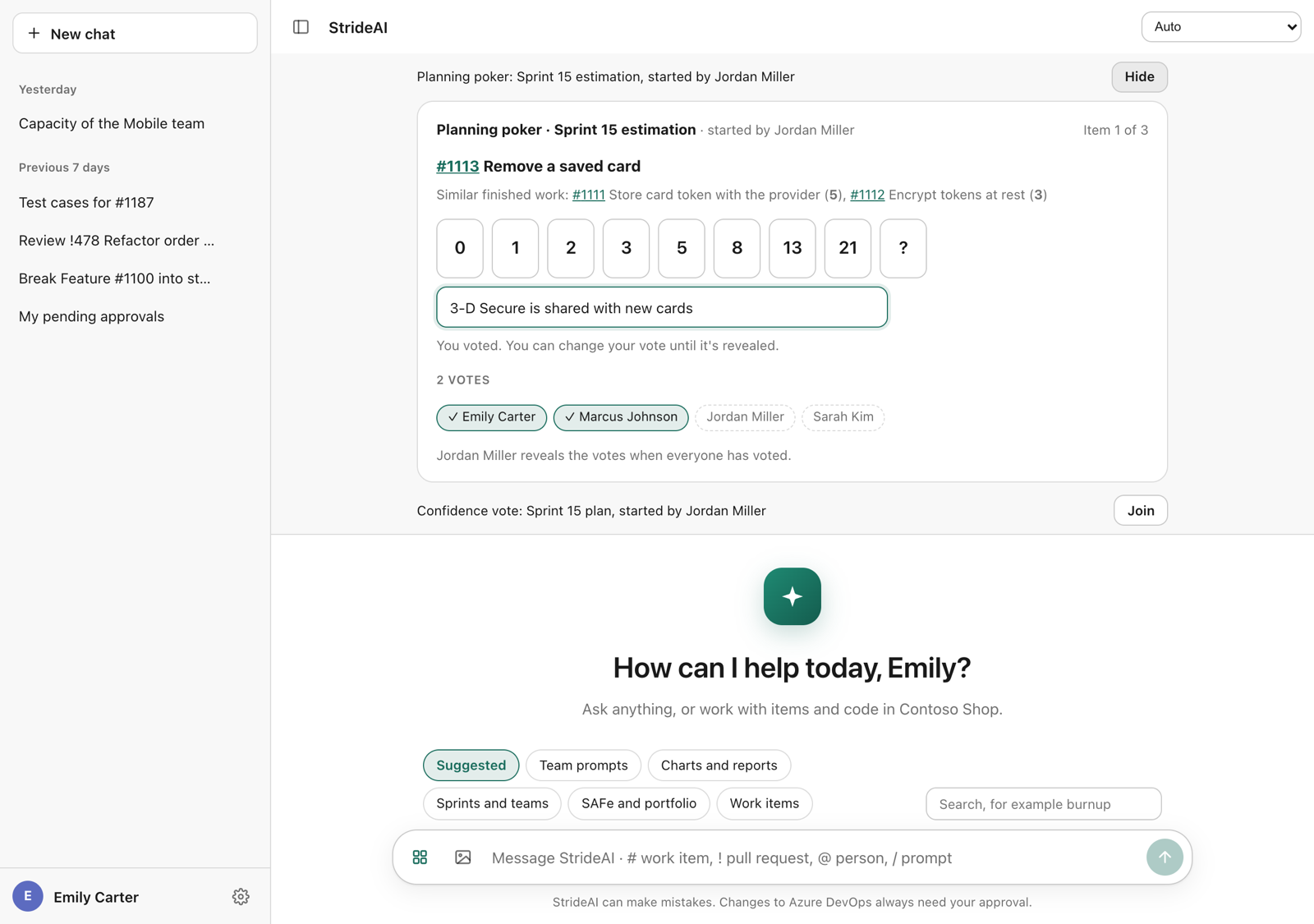
Ask “Let’s estimate the Sprint 15 candidates with the Web Team”, or select Estimate with the team on a work item. StrideAI starts a session, flags items that are not ready (no description or acceptance criteria, too big, or a vague title), and shows similar finished stories with their estimates as a reference. Everyone in the project sees the session at the top of their StrideAI page and joins with one click, so it works for live meetings and for people who vote later.
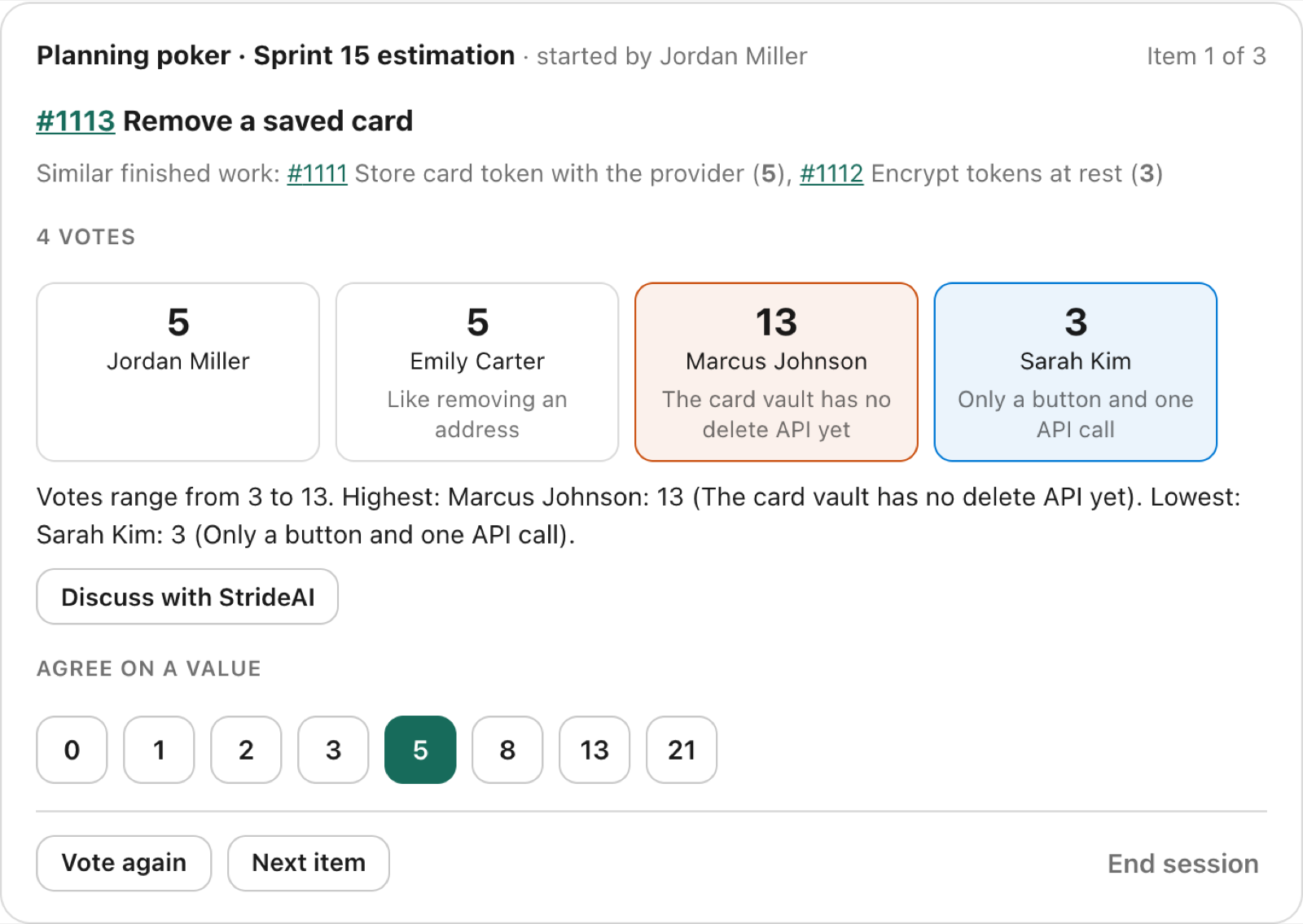
- Sealed votes. Each vote and its optional note is encrypted in the voter’s browser. Nobody, StrideAI included, sees them until the person who started the session selects Reveal votes.
- Talk about the difference. After the reveal, StrideAI names the highest and lowest voters with their notes and suggests the most common value. Discuss with StrideAI asks what each side may see differently.
- Agree and save. Pick the agreed value and select Save to #id; the estimate is written to the work item after your approval. Vote again, or move to the next item.
- Decks: Fibonacci, T-shirt sizes, and powers of two. When you name a team, the card shows who has not voted yet.
Confidence votes
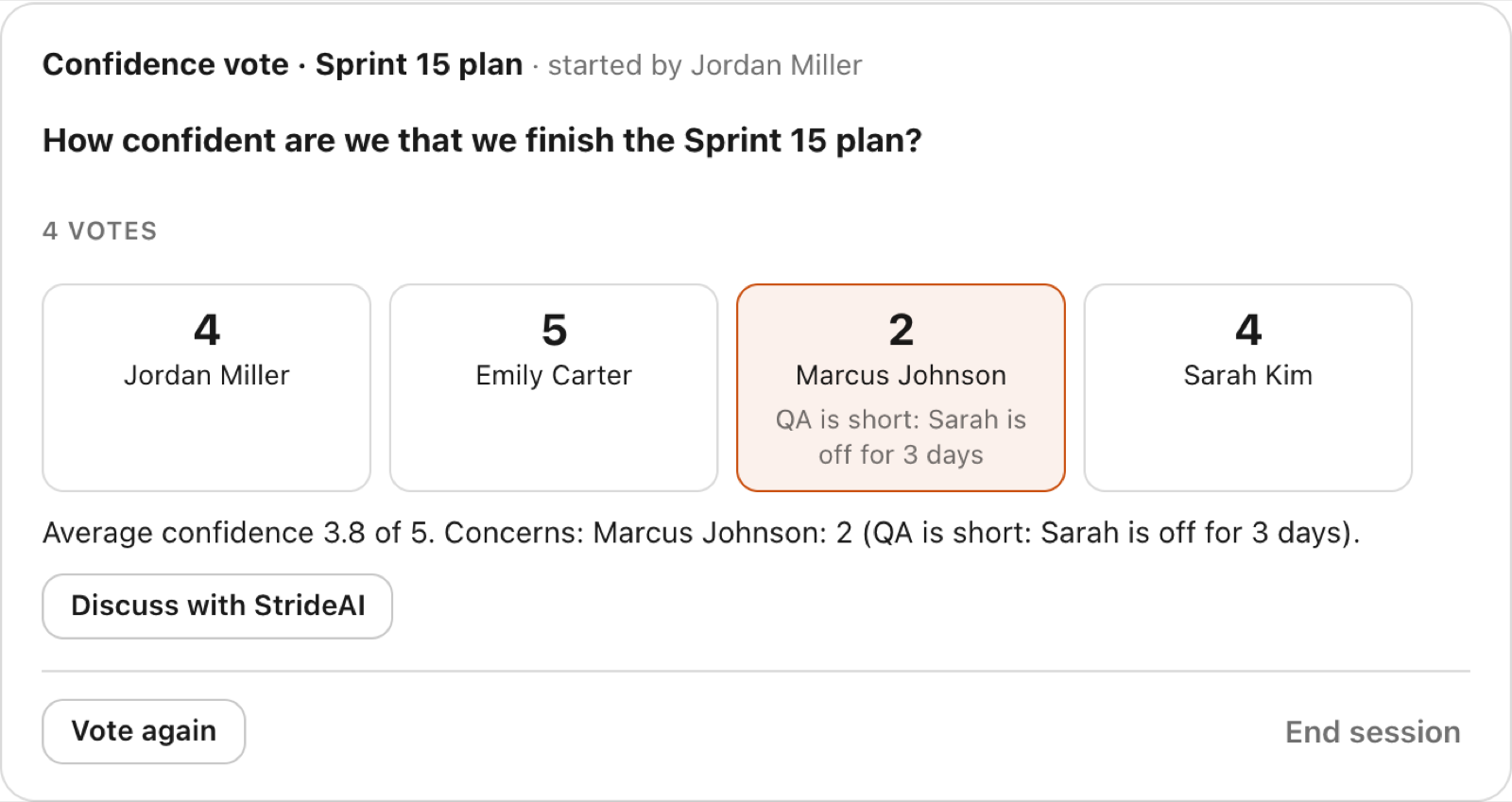
Section titled “Confidence votes”Ask “Run a fist of five on the Sprint 15 plan” for a confidence vote from 1 to 5. After the reveal you see the average and the concerns behind every 1 or 2.
Good to know
Section titled “Good to know”- Votes are stored encrypted in the project’s extension data and removed when the session ends; the key lives only with the person who started it.
- Planning poker needs an
https://page, because browsers only allow the encryption there. - Turn it off for a project under Settings → Features.