Security radar
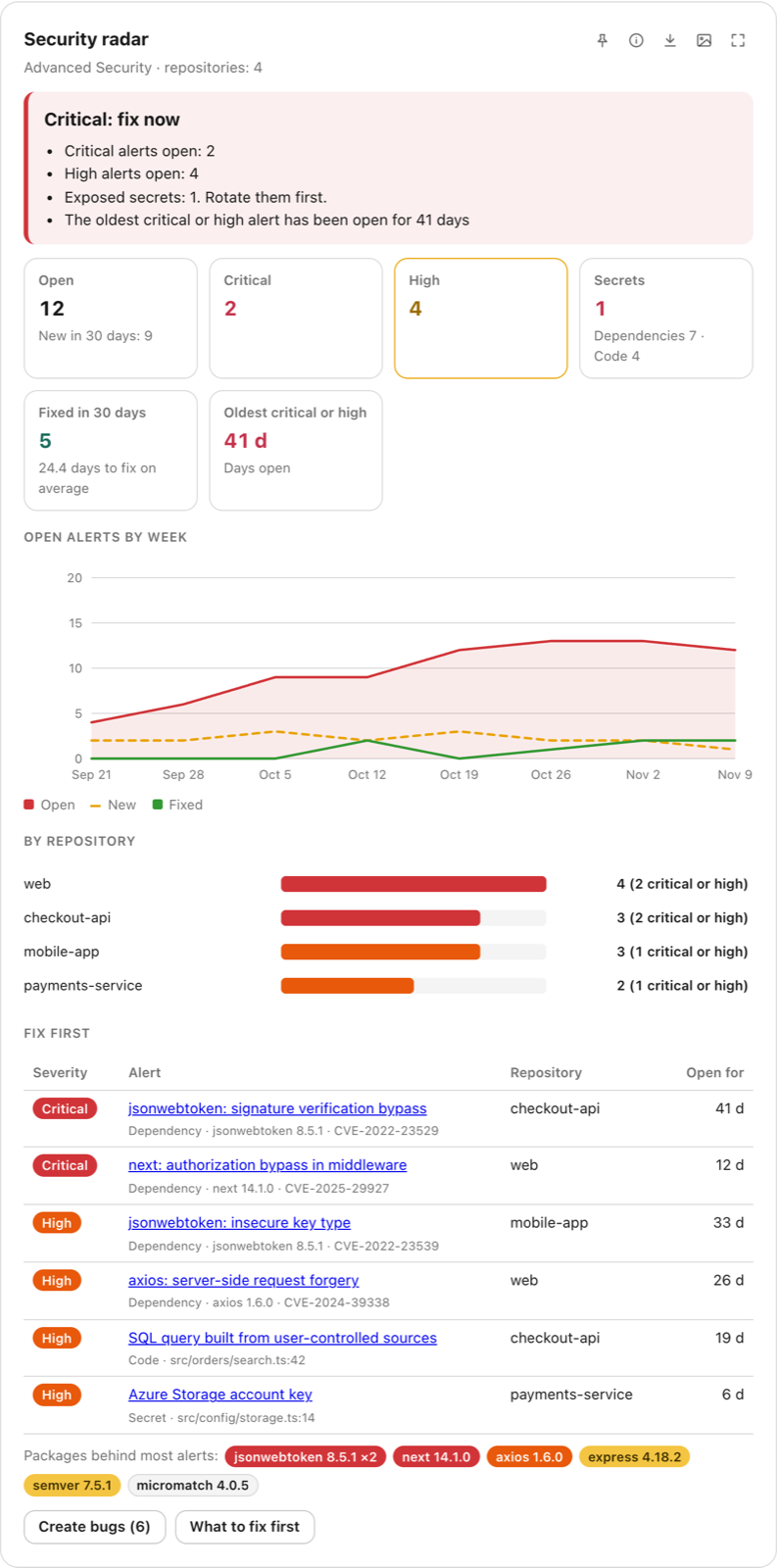
Ask “Show our security alerts: what’s critical and what should we fix first?”. StrideAI reads the open alerts your pipelines report across your repositories and answers All clear, Needs attention or Critical: fix now with the reasons: open alerts by severity, exposed secrets, how many were fixed in the last 30 days and how fast, a weekly trend, the repositories with the most critical alerts, the alerts to fix first with links, and the packages behind most alerts.
Where the alerts come from
Section titled “Where the alerts come from”The radar reads the newest pipeline run that published security results. It works with or without GitHub Advanced Security:
- Built-in scan: the security and backlog checks task finds vulnerable dependencies (npm, NuGet, PyPI, Go) through the open OSV database and exposed secrets or risky patterns in your code. Only package names and versions leave Azure DevOps.
- GitHub Advanced Security for Azure DevOps: the same task reads the alerts with the pipeline’s own permission and publishes them for the radar, so StrideAI itself never needs access to Advanced Security.
- Any scanner, also on Azure DevOps Server: the SARIF results your pipelines publish, for example the CodeAnalysisLogs artifact of the Microsoft Security DevOps task, CodeQL, or any scanner that writes SARIF.
Without any of these, the radar says what to add instead of failing.
Bugs for the alerts that matter
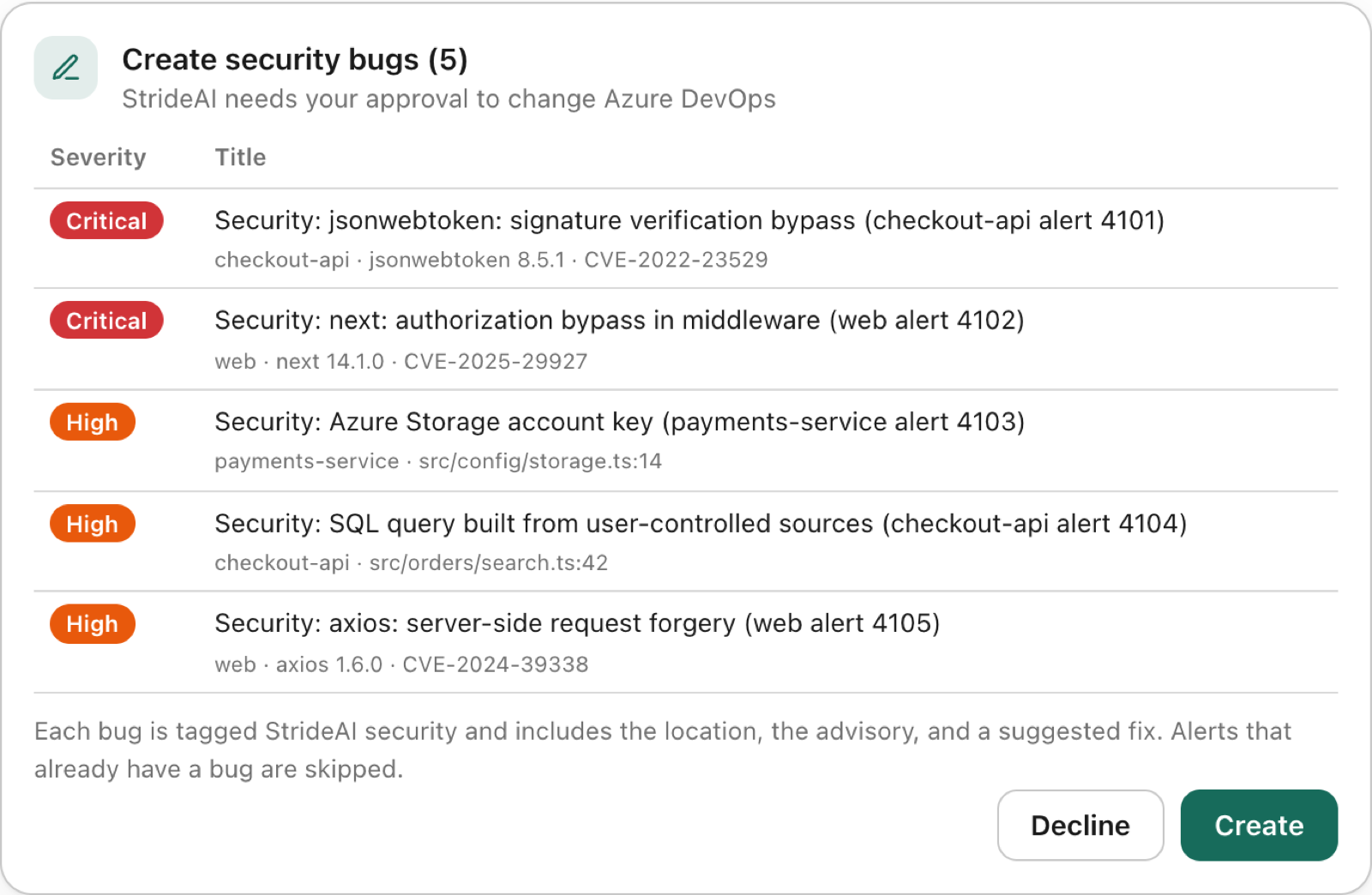
Section titled “Bugs for the alerts that matter”Select Create bugs and approve: one bug per alert with the severity, location, advisory and a suggested fix, tagged StrideAI security. Alerts that already have a bug are skipped, so you can run it every sprint.
Pull request security check
Section titled “Pull request security check”Every pull request’s StrideAI tab has a Security check for the lines it adds; see Code and pull requests.
The radar can be pinned to a board and shown on a dashboard. Turn the whole area off under Settings → Features.